

Commercial offices are changing fast. Hybrid work, collaboration zones, privacy needs, wellness, and brand experience all compete for the same floor area. That is why commercial office space planning is not only about arranging desks—it is about designing a workplace that functions smoothly, stays compliant, and can adapt without expensive redesign.
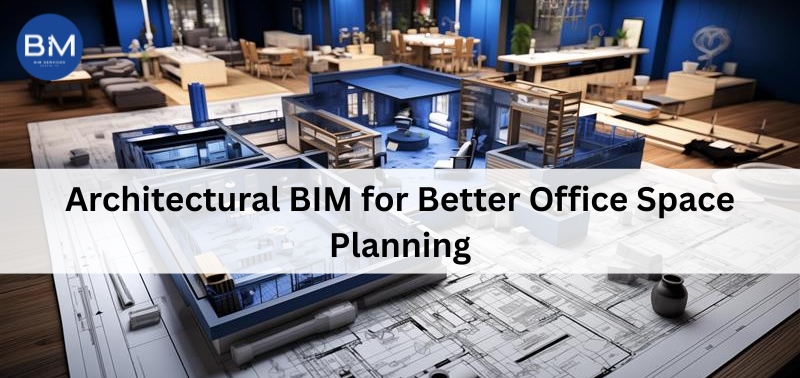
Architectural BIM supports this process by connecting layout decisions with real building conditions. Instead of guessing what will work, teams can test layouts against actual dimensions, building constraints, and coordination needs before anything reaches site.
Why commercial office space planning gets difficult in real projects
In office projects, changes are guaranteed. Headcount changes. Leadership wants more meeting rooms. IT asks for extra spaces. The MEP team raises ceiling coordination issues. When planning is handled in disconnected drawings, every change triggers rework across multiple sheets, and mistakes slip in because not everything updates together.
A model-driven workflow reduces that gap. You can review space allocation, circulation, and functional adjacencies with better confidence because the plan is tied to real geometry, not just lines.
How architectural BIM improves commercial office space planning
You plan with accurate dimensions, not assumptions
In commercial office space planning, small mistakes repeat fast. A few inches lost in circulation or a wrong door swing can ruin the usability of an entire zone. BIM-based layouts are built using real element sizes—walls, doors, furniture families, room boundaries—so the plan is grounded in workable clearances. This helps teams validate circulation, accessibility, and meeting-room usability earlier, when changes are cheap.
You can compare layout options without slowing the project
Office planning always needs options—more collaboration areas, fewer cabins, bigger pantry, different team adjacencies. A BIM workflow makes iteration easier because you are adjusting a coordinated model rather than redrawing multiple views separately. That supports faster internal reviews and quicker client approvals, especially when stakeholders want to see “Version A vs Version B” with clarity.
Area planning becomes measurable and easier to justify
A big part of commercial office space planning is defending how much area goes where. BIM makes it easier to track room and zone data consistently, so you can explain allocations in a way that business teams understand. This improves decision-making because leadership can connect layout choices to measurable outcomes like usable area, circulation efficiency, and meeting room ratios.
Coordination issues show up earlier
Many space plans fail late—not because the layout was bad, but because services and ceilings could not support it. Lighting grids, HVAC diffusers, sprinklers, fire alarms, bulkheads, and beam constraints can force last-minute compromises. BIM helps teams see these conflicts earlier and coordinate before the design becomes expensive to change.
Stakeholder approvals get simpler
Approvals slow down when people cannot visualise what they are approving. BIM-supported documentation typically gives more consistent plans, clearer views, and cleaner schedules. Even without heavy rendering, stakeholders understand the space better—so feedback becomes more specific and revisions reduce.
It supports future workplace changes with less redesign
Offices change after handover. Teams move, departments expand, layouts get refreshed. A model-based record gives you a cleaner baseline for updates, so future changes do not start from scratch. This is a practical advantage for companies that treat the office as an evolving asset, not a one-time project.
Selecting Architectural Services for office space planning
When selecting architectural services for a commercial office, avoid choosing purely on aesthetics or sample images. What matters is whether the team can plan for function, coordinate with other disciplines, and document clearly enough for execution. Ask how they handle layout iterations, space metrics, accessibility, and MEP alignment, because these are the areas where office projects commonly break down.
Also check whether they have a structured review process. Commercial office space planning succeeds when the design team can manage changes without creating confusion across drawings, schedules, and coordination notes.
BIM vs CAD for commercial office space planning
The real difference in BIM vs CAD is not simply 3D vs 2D—it is change control. CAD is drawing-based, so updates rely heavily on manual edits across multiple sheets. That is where inconsistencies creep in when the project moves fast.
BIM is model-based, meaning views and schedules can stay connected to the same source. For commercial office space planning, this reduces mismatch errors, supports faster iterations, and improves coordination when multiple teams are involved.
What is As-Built? (and why office owners care)
What is as-built? As-built documentation is the verified record of what was actually installed on site, including changes made during construction. For offices, this matters more than people expect. Facility teams need accurate information for maintenance, renovations, seating changes, and compliance. When as-built records are accurate, upgrades become easier and risk drops because teams are not guessing what is behind walls or above ceilings.
Final takeaway
If you want commercial office space planning that holds up through design changes and construction realities, BIM-supported workflows help you plan with fewer surprises. You get better space clarity, faster iterations, earlier coordination, and documentation that supports both handover and future changes.