Consider a medium rise commercial building development, whereby the architect is refining the drawings, the structural engineer is drawing the beams and columns, and the three MEP engineers are designing the ducts, conduits, and pipe systems in the same ceiling area. Each of these professionals is doing their design independently and on their own schedule.
That’s normal. But at some point, someone has to ask: does all of this actually fit together? That’s the question a Federated BIM Model is built to answer.
What Is a Federated BIM Model?
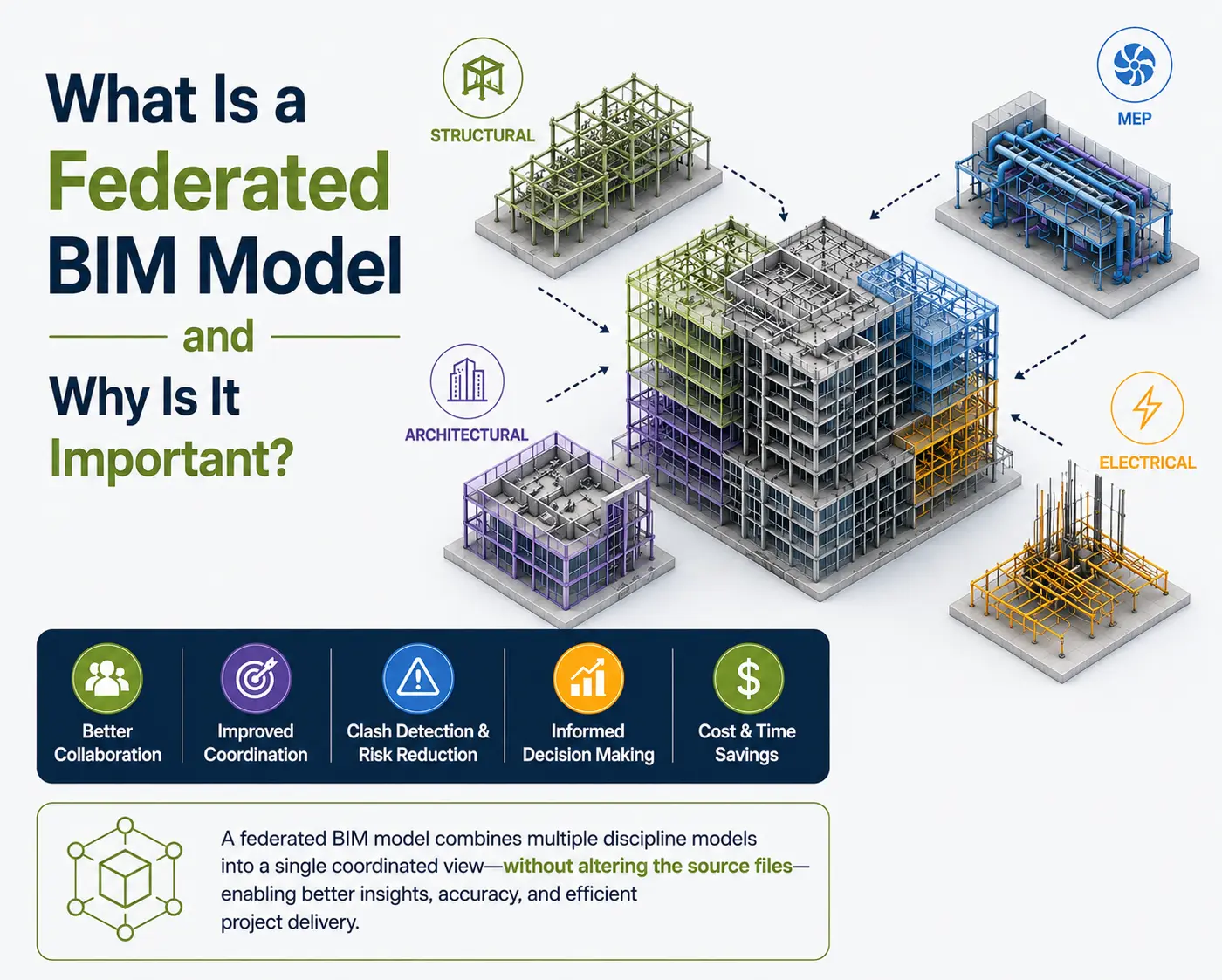
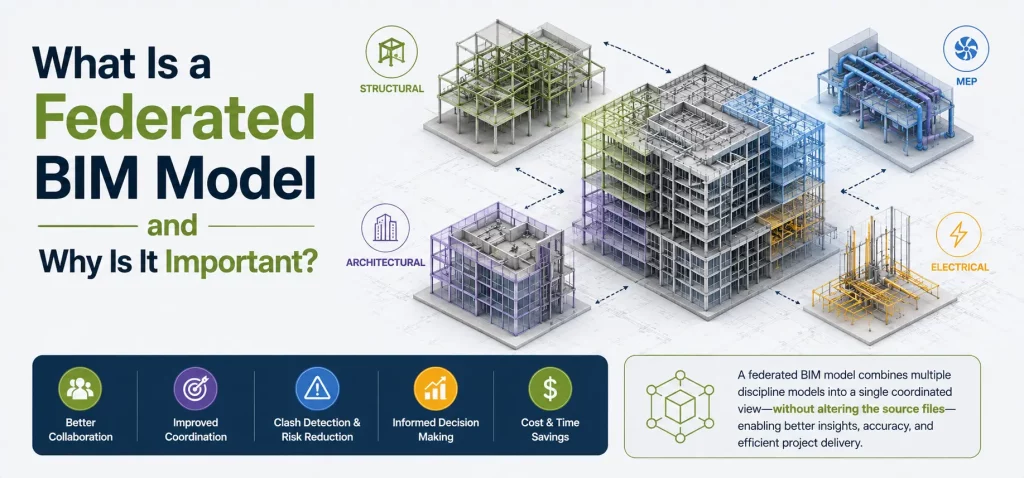
Creation of federated BIM models involves integration of several discipline models in the same system without bringing all of them together to form one file that will be editable permanently. All these models stay individual and still belong to their designer teams.
What changes is visibility. Instead of five disconnected models sitting on five different desktops, everyone can now see how the architectural, structural, mechanical, electrical, plumbing, and fire protection systems sit in relation to one another. You can review the 3D BIM Modeling Services approach used to build these discipline models in more detail if you want to understand how each one is developed before federation.
Why Do Projects Use Federated BIM Models?
Here’s the practical problem federation solves. The architect’s model might be perfectly correct on its own. The structural engineer’s model might be equally sound. The MEP models might all check out individually too. But none of those teams can see, from inside their own file, whether a duct is about to run straight through a beam.
A federated model gives everyone a shared, combined view of the project. That shared view is where the real value of Building Information Modeling starts to show up — not just as documentation, but as a working coordination tool. It supports:
- Better collaboration between disciplines
- Easier day-to-day coordination
- Improved visibility into how systems interact
- Earlier identification of conflicts
- Clearer communication across teams
- More informed decisions before construction begins
The disciplines typically brought into this combined view vary by project, but the table below outlines a common set.
| Discipline Model | Typical Elements | Why It Matters in the Federated Model |
| Architectural | Walls, doors, windows, ceilings, finishes | Provides the spatial and architectural context |
| Structural | Beams, columns, slabs, foundations | Helps identify structural constraints |
| Mechanical/HVAC | Ducts, equipment, pipes | Supports mechanical coordination |
| Electrical | Cable trays, conduits, panels, lighting | Helps coordinate electrical routing |
| Plumbing | Water, drainage, and sanitary piping | Helps prevent routing conflicts |
| Fire Protection | Sprinkler pipes and equipment | Supports fire protection coordination |
Which of these actually make it into a given federated model depends on project scope, contract requirements, and the BIM execution plan agreed upon at the start.
How Is a Federated BIM Model Created?
The process is less complicated than it sounds. In practice, it usually goes something like this:
- Each discipline builds its own model to the agreed level of detail.
- Teams follow shared naming, coordinate, and origin-point standards.
- Models are shared with the BIM coordination team on a regular schedule.
- The models are linked into a common coordination environment.
- The team checks alignment — same coordinates, same units, same reference points.
- Conflicts and inconsistencies are reviewed and logged.
- Responsible teams revise their models.
- Updated models are re-linked and reviewed again.
This cycle repeats throughout design and often into early construction, since models keep evolving as decisions are finalized.
How Federated Models Support BIM Coordinations
This is where the federated approach comes into its own. With all these features available at once, the co-ordinator will see a heating, ventilation and air conditioning duct penetrating a structural beam, or a cable tray butting up against a duct or a plumbing line running where an electrical conduit is required. Maintenance clearance around mechanical equipment and ceiling conflicts with MEP services show up the same way.
None of these issues are obvious from inside a single discipline model. BIM Coordinations rely on that combined spatial context to catch problems while they’re still cheap to fix — on screen, not on site. For a closer look at how the flagging and resolution part of this process works, the 3D Clash Coordination page walks through the workflow in more detail.
Federated BIM Model vs Individual Discipline Models
An individual discipline model focuses on one scope. An electrical model, for instance, contains conduits, panels, cable trays, and lighting — nothing else. It’s detailed and accurate for its own purpose.
A federated model doesn’t replace that. It sits on top of the individual models, giving the project team a combined coordination view. Both have a job to do — the discipline model for design and documentation, the federated model for seeing the bigger picture.
How 3D BIM Modeling Contributes to Model Federation
A federated model is only as useful as what goes into it. Accurate 3D BIM Modeling — correct geometry, consistent shared coordinates, appropriate level of detail, and proper object classification — is what makes coordination meaningful in the first place. If one discipline’s model is misaligned or built to the wrong LOD, the federated view will misrepresent the real conflicts, or hide ones that actually exist.
The Role of Architectural BIM Modeling
The architectural model usually sets the spatial framework everyone else works around. Room layouts, wall placement, ceiling heights, the building envelope, and equipment zones all originate here.
Structural and MEP teams route their systems against this environment, so accurate Architectural BIM Modeling has an outsized effect on how smoothly the rest of the coordination process goes. Teams working on this discipline often reference the Architectural BIM Modeling category for related resources.
Federated BIM Models and Visualization
Once a federated model is coordinated, it can also support visualization — 3D views, design review sessions, client walkthroughs, and rendered presentations that communicate how the project will actually look.
This is where 3D Max Rendering fits in. It’s a visualization step, not a modeling or federation tool — it takes an already-coordinated model and produces polished imagery for presentations and stakeholder communication. It doesn’t create or federate the underlying BIM data itself.
Benefits of a Federated BIM Model
- Better multidisciplinary coordination
- Easier clash identification
- More productive design reviews
- Clearer communication across the project team
- Fewer coordination errors reaching the field
- Improved construction sequencing and planning
- Better shared understanding of spatial relationships
- More informed decisions at each project stage
What Makes a Federated BIM Model Effective?
Combining models isn’t automatically useful. A federated model only works well when the underlying process is solid. That means:
- Accurate, well-built discipline models
- A shared coordinate system across all teams
- Consistent naming conventions
- Clearly documented BIM standards
- Appropriate level of development for the project stage
- Regular model updates on an agreed schedule
- Defined coordination responsibilities
- Structured clash detection procedures — see the BIM Clash Detection Process for a step-by-step breakdown
- Proper version control so everyone is reviewing current data
Get these fundamentals wrong, and the federated model just becomes a bigger, more confusing version of the same disconnected information. Projects that invest in Project BIM Coordination tend to keep this process consistent from design through construction.
Conclusion
A Federated BIM Model brings the architectural, structural, and MEPF models together so the project team can finally see the building as one coordinated whole, rather than a stack of separate files. It supports collaboration, coordination, clash identification, design review, and construction planning in ways that individual discipline models alone can’t.
But federation isn’t a shortcut. Its value depends entirely on the accuracy of the individual discipline models feeding into it and the discipline of the coordination process behind it — shared standards, regular updates, and a team that actually acts on what the federated view reveals.